—
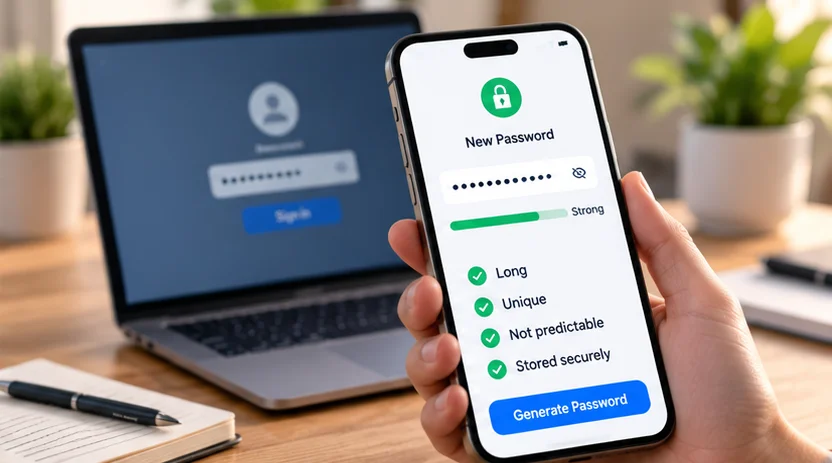
A strong password is sufficiently long, unique to one account, and difficult to predict. Length gives room for more possibilities; uniqueness stops the same secret opening several accounts; unpredictability avoids shortcuts based on common words, personal details, or familiar patterns.
For most ordinary logins, a trusted password manager can generate and save a different password for each service. When you need something memorable, choose a long passphrase built from independently selected words rather than a quotation or personal story.
Length helps, but there is no universal perfect number
A short password can look complicated while still following a common pattern. Adding more characters helps when they add uncertainty, rather than simply extending an obvious sequence.
Current NIST SP 800-63B-4 requires covered services to set a minimum of 15 characters for passwords used alone. It permits a lower minimum of eight when the password is used only within multi-factor authentication. Those are requirements for specific authentication designs, not a declaration that every password meeting the minimum is equally strong. The current NIST standard states both thresholds.
For your own account, use a long password supported by the service rather than aiming for the shortest value it accepts. A sign-up form's green strength indicator is feedback from that product, not proof that your choice resists every attack.
Covered services must also screen proposed passwords against known common, expected, or compromised values. For your own choice, avoid a published or exposed password even if it meets the length rule. Length does not make an already known secret private again.
Uniqueness matters even when the password is long
If the same password protects email, shopping, and a forum, disclosure at one service can put the others at risk. A long reused password still creates that connection. Google explains why important accounts need different passwords.
Small variations do not reliably solve reuse. Adding the website name to a common base, changing the final digit, or rotating the season makes the relationship easier to infer once one version is known.
Create a fresh value for each account. Start with accounts that control recovery elsewhere, especially your main email, then banking, storage, and other important logins. This is a practical order for improving an existing collection, not a reason to leave less important accounts sharing a secret indefinitely.
Common substitutions are not a security strategy
Replacing a letter with a familiar symbol or adding an exclamation mark does not make a predictable word unpredictable. The UK's NCSC specifically warns that familiar character substitutions are known to attackers. Its passphrase guidance explains the limitation.
Symbols can be part of a randomly generated password. The problem is relying on a recognizable substitution as the main source of strength. A pet's name, birth year, and punctuation remain closely related to information someone may discover or guess.
If a website requires particular character types, satisfy its rules while still choosing a sufficiently long, unique value. A site's requirement does not establish that the same composition rule is necessary everywhere.
Compare four password approaches
All visible examples below are fictional teaching examples. Do not use them, or a slight variation, as a real password. Nothing printed in a public article should become your secret.
| Approach | Illustrative example | What matters |
|---|---|---|
| Reused secret | The same private value at email and shopping accounts | A leak can affect both, regardless of its length |
| Short, visually complicated pattern | P@nda7! |
Recognizable word and substitutions; punctuation does not fix its shortness |
| Long passphrase | harbor velvet turnip lantern meadow |
Demonstrates unrelated words and length; select your own independently |
| Manager-generated unique value | A fresh random value created for this service | Avoids constructing a memorable pattern and makes separate secrets practical |
The table compares ways of choosing passwords, not measured cracking times. A passphrase's strength depends on how the words were selected, its length, and whether it has been reused or disclosed.
Make a memorable passphrase without a personal clue
Choose unrelated words independently, preferably using a trusted random-word generator or another random selection method. Do not select a sentence from a favorite song, a list of family members, or words describing the website.
Use enough words to make the result long while meeting the service's allowed characters. Spaces may help readability where accepted. Do not use a public example from this article or a password generator's demonstration screen.
Before relying on it, check that you can enter it on the devices where you will sign in. A password that is repeatedly mistyped can encourage unsafe shortcuts, such as keeping an exposed copy beside the computer.
Store any written recovery information securely. Memorability is useful for a password you genuinely need to type; it is not a reason to reuse that passphrase on all your other accounts.
Let a manager handle passwords you do not need to remember
A manager can generate a fresh password, save it against the correct service, and fill it when needed. This removes the pressure to create a variation of an existing secret just because you cannot memorize another one.
NIST's implementation FAQ explains that covered services must allow password managers and autofill, and recommends supporting paste. The FAQ connects those controls with distinct passwords.
Choose a manager that works on your devices and has security and recovery arrangements you understand. Our password-manager comparison covers those workflow choices. A browser-integrated manager is not automatically unsafe, and buying a paid product is not a prerequisite. Product design, updates, device protection, and account access all matter.
When setting or changing a password, verify that the manager saved the successful new value. If you use Google's manager, our guide to Google Password Manager explains how to inspect saved entries. Changing a vault entry alone does not change the website's login. Keep an existing working session until you have confirmed the replacement works.
Change a password for a reason
NIST rejects compulsory periodic password changes without a compromise-related reason. That is different from ignoring a warning that a password was exposed. Constantly changing a predictable word's final number does not address the underlying weakness.
Replace a password promptly if you know or reasonably suspect someone else obtained it. Replace reused copies at other services too. Reach the account's official security settings directly rather than following an alarming reset link in an unexpected message.
If an employer imposes a rotation policy, follow it or raise concerns with the administrator. General consumer advice does not override an organization's account rules.
Protect the account beyond its password
A strong password can still be stolen through a fake sign-in page or compromised device. Keep software updated, use two-factor authentication where supported, and maintain recovery access independently of the device you might lose.
Passkeys may replace passwords on compatible services, using a stored cryptographic credential rather than a typed secret. They have their own device and recovery requirements. Google's passkey guidance describes one implementation.
For accounts that still need passwords, the useful routine is straightforward: generate a long unique value, save it reliably, and replace it when its secrecy is in doubt. Avoid spending effort decorating a predictable password while leaving it reused elsewhere.