—
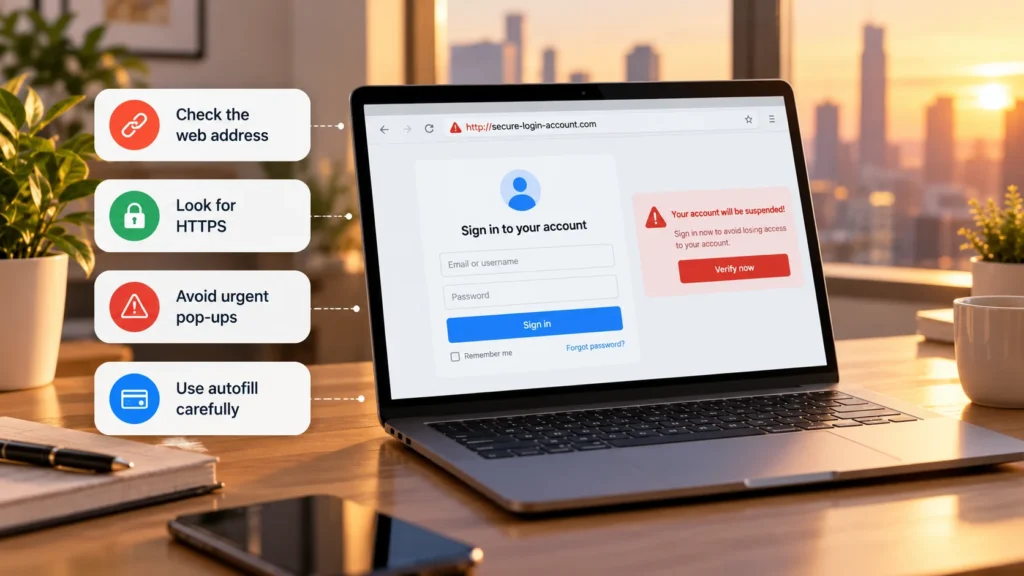
Before entering a password, inspect the website address and the reason you were asked to sign in. A fake login page can copy a familiar brand's logo, layout, and wording closely enough to look convincing. The destination and the route you took to reach it matter more than its appearance.
If an unexpected email or message sent you to a login page, the safest practical response is usually to leave it and open the service independently through its official app, known address, or a trusted bookmark.
Start with the sign-in context
An account warning, shared document, delivery problem, or urgent payment request can all be used to push you toward a sign-in form. The FTC's phishing guidance describes messages impersonating organizations and recommends contacting them through details you already know are real.
Consider what happened immediately before the page appeared. Did you open the app yourself to do a familiar task, or did a message unexpectedly demand another login? A sign-in request can be legitimate, but urgency is not a reason to skip inspection.
For example, a message claiming that your account will be closed might lead to a copied login screen. Open the service separately and check its own account messages. Do not use the suspicious page's help number as the independent check.
Read the actual domain in the address bar
Select or expand the browser's address bar so you can inspect the full hostname. Read the destination currently loaded, not the page title, a logo, or the visible wording of a link.
Look for misspellings, inserted words, and characters that resemble other letters. An unfamiliar ending or extra word should prompt verification, although neither alone proves fraud. Legitimate organizations can use different domain endings and more than one domain.
These fictional examples show why placement matters:
| Address | What the familiar-looking word means |
|---|---|
accounts.example.com |
accounts is a subdomain of example.com. |
example.security-check.invalid |
example is a subdomain under security-check.invalid; it is not example.com. |
The examples are for illustration, not destinations to visit. IANA reserves example domains for documentation.
For these examples, reading the domain ending exposes the difference. Do not turn that into a universal rule to trust the final two words: real domain structures vary. The useful check is whether the actual domain matches one you have independently established for the service.
Likewise, a brand name in the path after the hostname does not change who controls the destination. Read the whole hostname rather than stopping when you recognize a word.
Do not let a shortened link make the decision
A shortened or obscured link hides information you need before signing in. Hovering on a desktop browser may show a link destination, but it does not establish where a chain of redirects will finish.
You do not need to follow that chain to resolve the request. Open the service through a route you already trust and find the document, notification, or account issue there. On a phone, where addresses can be truncated, reopening the official app can be simpler than trying to judge a small preview.
Search results and advertisements also need inspection. If you use search to find a service, check the resulting domain instead of assuming the first listing is the official login.
Treat HTTPS as connection protection
HTTPS encrypts the connection to the site you reached. It does not establish that the site owner is the organization being imitated. A scam page can use a valid certificate for its own domain.
Chrome's connection guidance advises checking the site name even when the connection is secure. Browser indicators vary, so a particular padlock design should not be your test of legitimacy.
Do not enter credentials through an unresolved certificate or dangerous-site warning. Equally, the absence of a warning is not a guarantee that a newly created scam has been identified. Our guide to checking whether a website is safe covers broader evidence beyond the connection.
Make sense of legitimate sign-in redirects
A service can legitimately send you to a separate identity provider when you choose a work account or a “Sign in with” option. A changed domain is therefore a reason to inspect the flow, not automatic proof of a scam.
Confirm that you initiated that sign-in method and recognize the provider through an independently known route. If a work portal behaves differently from the instructions your employer supplies, ask IT before continuing. A copied company logo cannot settle that uncertainty.
Stop if the page asks for unexpected recovery codes, unrelated account passwords, or an approval you did not initiate. Do not approve repeated prompts simply to make them disappear.
Let password tools help without overriding your judgment
Password managers associate saved logins with expected websites. If a familiar login is not offered on an unexpected page, investigate before copying the password manually to force the process.
There can be ordinary reasons autofill does not appear, including configuration differences. Its absence is a useful warning to check, not a diagnosis. 1Password's security documentation explains domain matching and remaining risks from deceptive page elements; autofill is not a guarantee against phishing.
Where supported, properly implemented passkeys offer phishing-resistant authentication tied to the legitimate service's domain. FIDO describes that domain binding. This reduces a particular credential-phishing risk without making every request, recovery flow, or transaction trustworthy.
If you already entered a password
Open the real service on a trusted device and change the affected password promptly. Replace the same or similar passwords on other accounts. The FTC recommends these steps after giving account details to a scammer.
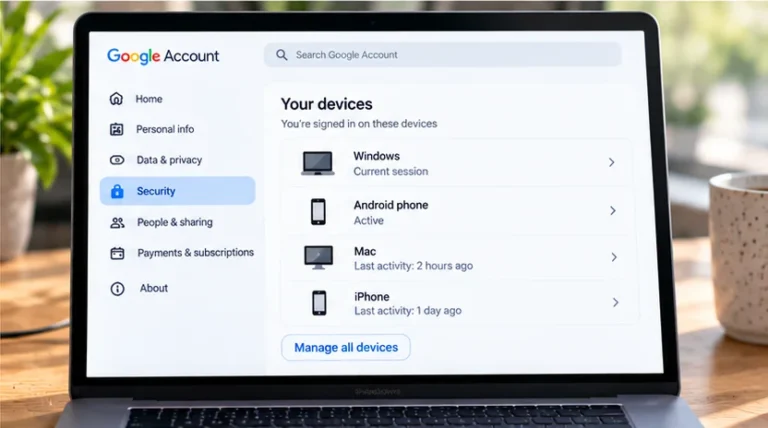
Review recent security activity, active sessions, and recovery details through the service's official controls. End unfamiliar sessions where supported, enable or review two-factor authentication, and contact the provider if access is lost or activity remains unexplained.
If you also shared a verification code or approved a sign-in, tell the provider; changing a password may not address every active session or account change. Keep the suspicious message for reporting without continuing to interact with its login page.