—
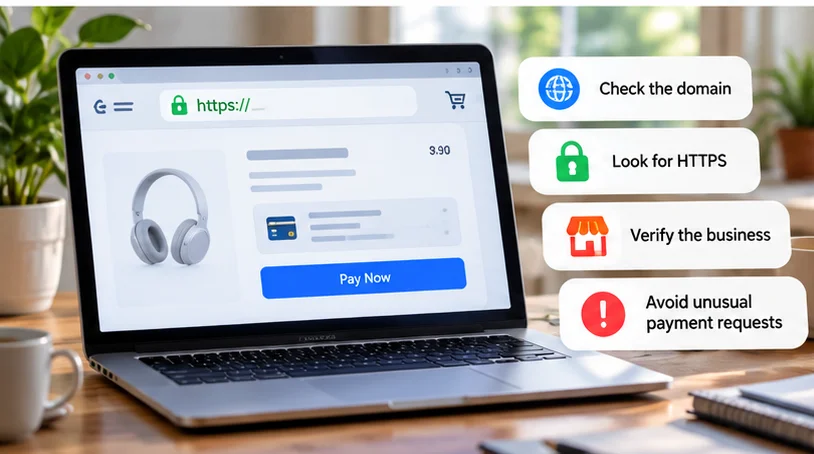
Before entering payment details, check both the website connection and the business behind it. Inspect the domain, confirm the seller's identity, read purchase terms, look for independent reputation evidence, and understand the payment method. No single signal proves a website is safe.
HTTPS protects the connection to a domain. It does not establish that the seller is honest, the item exists, or a refund will be honored. A convincing design and a familiar payment logo need the same scrutiny as the rest of the site.
Start with the address you actually reached
Open the address bar and read the hostname, rather than trusting the page title, logo, or text on a link. Look for misspellings, unexpected extra words, and an address different from the business's known website.
For a fictional example, shop.example and shop.example.checkout-test.example are different hosts. In the second, the familiar-looking name is only part of a longer address. A merchant name appearing somewhere in the URL is not enough.
If you followed an advertisement, email, or message, reach the business again through an independently established address. Search results also need inspection; do not assume the first result is the official shop. The UK NCSC describes lookalike domains and copied shops.
Understand what HTTPS does and does not prove
HTTPS uses TLS to encrypt traffic and authenticate the server for the domain represented by its certificate. This helps protect information in transit to that destination. MDN explains TLS confidentiality and authentication.
That authenticated destination can still belong to a dishonest seller. A scammer can operate a domain with a valid certificate. HTTPS does not verify the quality of the product, business practices, or claims on the page.
Before submitting financial information, require a secure connection without unresolved certificate warnings. Use the browser's site-information control if the full address is hidden. Icons differ across browsers and versions, so do not depend on seeing a particular padlock.
Chrome's connection guidance separates secure connections from dangerous-site warnings and still advises checking the site name. A clean browser status also cannot certify a merchant's reputation.
Verify a business you could contact afterward
Look for a consistent business name, contact method, and explanation of who is selling the item. Check whether the contact details and purchase terms refer to the same organization as the checkout.
If the business claims a physical location or established trading history, seek independent evidence consistent with that claim. A copied address or badge on the site is only a claim until corroborated.
Contact the seller through a verified route if an important detail is unclear. Ask a concrete question about the item, delivery location, or returns process. A coherent answer helps you assess the transaction, but is not a substitute for the other checks.
Professional photography, correct spelling, and a polished policy page are easy to imitate. Likewise, a small business with plain design is not automatically unsafe. Concentrate on evidence about the particular seller and purchase.
Read the terms that would matter if something went wrong
Check the full price, delivery charges, expected dispatch or delivery, return destination, refund conditions, and any recurring billing. For a marketplace, identify whether the platform or a separate seller is responsible for the order.
For example, an item advertised cheaply may become expensive once return shipping or an ongoing subscription is included. Confirm whether the stated policy applies to sale items and to your location.
Treat a missing or contradictory answer as an unresolved purchasing condition. You can choose another seller rather than paying first and hoping the problem will be settled later. The FTC's shopping guidance recommends reviewing sellers, delivery, returns, and total costs before buying.
Look beyond the site's own reviews
Read independent accounts from more than one place. Search the business name alongside terms such as “complaint” or “scam,” then inspect the evidence behind the results. Check whether reports concern the same domain and business.
Look for concrete patterns: items not arriving, unexpected recurring charges, or repeated inability to obtain a response. Distinguish those from a single complaint about a disliked color or slow courier.
Do not count star ratings as a vote that settles the question. Reviews can be misleading, while an unfamiliar new business may have little history. Limited evidence means more uncertainty; it does not prove either safety or fraud.
Examine the payment request before authorizing it
Prefer a method with applicable dispute or fraud protections, and read your issuer's or provider's terms. Eligibility, purchase type, deadlines, and jurisdiction matter. A card or wallet does not guarantee reimbursement.
An unfamiliar seller insisting on gift cards, cryptocurrency, an off-platform transfer, or a payment category intended for personal transfers gives you a reason to stop. These requests can make recovery difficult. Do not let a discount pressure you into abandoning protection you expected to have.
Legitimate checkout can redirect to a payment provider. Verify the destination's actual address and the merchant, amount, and currency shown before approving. An unexplained move to an unrelated domain needs investigation, even if the page displays a familiar wallet logo.
The NCSC advises checking payment-provider coverage. Its country-specific legal examples should not be assumed to apply everywhere; use the terms for your own account and purchase.
Stop at unrelated downloads and security warnings
A checkout should not require you to install an unfamiliar extension, allow remote control, or disable browser protection just to pay. Leave that flow and verify the request through the business's official contact route. If a legitimate service offers an optional app, check the app before installing it.
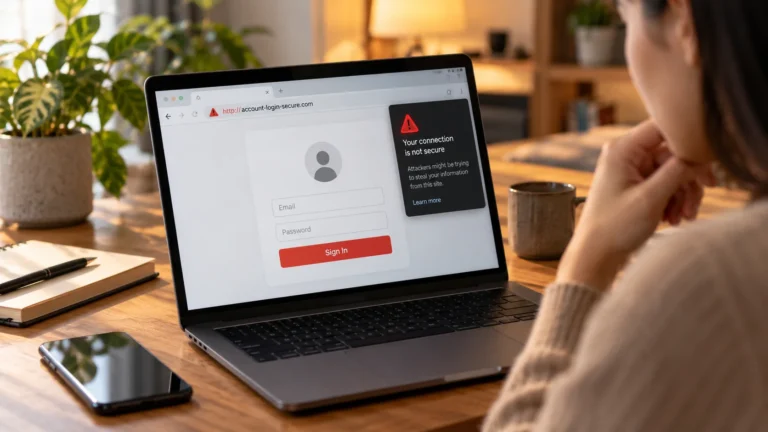
Browser warnings may concern the site, network, or device. Do not bypass one to complete a time-limited deal. Resolve it before entering sensitive information; the warning's cause matters more than the offer's countdown.
The FTC's phishing guidance recommends contacting a company through details you know are real when a message or link is suspicious. Do not use the questionable message itself as your verification source.
Make the final decision on a trusted device
Avoid sensitive payments on public or untrusted devices where you cannot assess the software or who controls it. Use an updated device you manage and share only information needed for the purchase. Decline unrelated permission requests.
Protect any shopping or payment account with a unique password and two-factor authentication where supported. This protects account access; it does not make an unverified merchant trustworthy.
Keep the order details, seller address, promised terms, and receipt. If the domain, identity, payment request, or important terms remain unexplained, postpone the purchase. Pressure, unusually low prices, and copied content become more meaningful when they occur together with gaps you cannot resolve.
If you have already submitted details and suspect misuse, contact your bank or payment provider through its official app or known number promptly. Explain what happened and follow its account-specific instructions rather than paying a further “verification” or “refund release” charge.