—
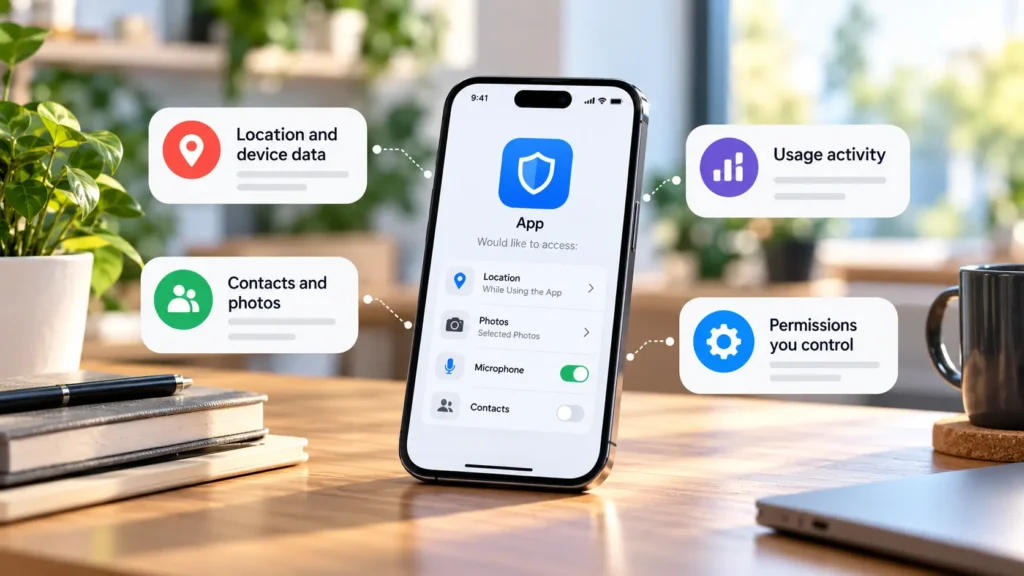
Apps may collect information you enter, activity within the service, device details, and data available through permissions or connected accounts. What a particular app collects depends on its features, implementation, settings, and privacy practices. It cannot be inferred from its permission list alone.
A permission request means the app wants a particular kind of access. It does not prove that every accessible item is uploaded or retained. Equally, an app with few device permissions may still hold your profile, purchases, searches, and everything you submit to it.
The main types of information
These are possible categories, not a claim that every app collects all of them. Apple's disclosure definitions describe common categories such as identifiers, purchases, usage, and diagnostics.
| Information | An ordinary example | What to check |
|---|---|---|
| Account/profile details | Name, email, profile photo, delivery address | Required versus optional fields |
| Device or app identifiers | Installation ID or an advertising identifier where available | Purpose, linkage, and platform controls |
| Approximate or precise location | City-level forecast or navigation position | Precision and background access |
| Contacts | Finding people you know | Selected contacts versus broader access where supported |
| Photos and files | Images selected for an upload | Chosen items versus a larger library |
| Camera and microphone input | Video-call picture or recorded audio | When capture happens and whether it is stored |
| Usage/activity | Searches, viewed items, taps, and saved preferences | Analytics and personalization settings |
| Diagnostics | Crash reports and performance information | Contents and optional reporting controls |
| Purchases/subscriptions | Order history and subscription status | The seller's records versus payment-provider data |
| Direct submissions | Messages, notes, forms, and support requests | Who can access them and retention |
| Connected-service data | A calendar shared with a scheduling app | The specific account-access grant |
A shopping app can know what you bought without accessing your contacts. A photo editor might process a selected image locally or upload it for a feature. Those situations need different privacy questions.
Access, collection, and sharing are different
Access describes what the app can reach. Collection generally concerns obtaining data for the app or service, while sharing concerns passing it to others. Store disclosures apply their own definitions and exceptions.
Google Play, for example, generally treats data retrieved off the device as collected, but documents exceptions, including some temporary processing. Data used only on the device is treated differently. Google explains its Data safety terminology.
This is why a location permission and a “no data collected” disclosure are not automatically contradictory. Read how the feature works and what the store's label covers. Conversely, denying location does not erase an address you typed into your account.
Consider three separate questions: what can the app access, what leaves the device, and what does the organization keep or share? One settings switch may answer only the first.
Read disclosures alongside the privacy policy
On Google Play, inspect Data safety in the app listing and expand the details. On the App Store, review App Privacy, including whether disclosed data is linked to you or used for tracking. Apple explains its privacy labels.
These summaries describe developer-reported practices. They are useful evidence, not a security guarantee or a complete account of every possible interaction. Practices may differ with version, region, account, or optional features.
Use the policy to investigate purpose, recipients, retention, deletion, and contact details. For an app using an outside analytics or advertising service, look for an explanation of that relationship. A vague “improve your experience” statement may leave important questions unanswered.
If your concern is whether to install the app at all, start with checking its publisher and download source. This article focuses on the information relationship after that initial check.
Inspect device permissions deliberately
On Android, open the app's information in Settings and review Permissions. You can also review apps by permission type. Google documents the controls. Samsung, Pixel, Xiaomi, OnePlus, and other manufacturers may use different labels or menu locations, so use Settings search when necessary.
On iPhone, Settings → Privacy & Security lets you review categories of information and the apps requesting access. Apple documents that route.
Prefer the narrowest option that supports the job: approximate location for a broad forecast, selected photos for one upload, or access while using the app where available. Removing permission can break the related feature; a voice recorder cannot record through a blocked microphone.
App Privacy Report on supported iPhones adds information about permission use and contacted domains. Apple explains what the report shows. It can prompt a useful question, but a domain entry alone does not establish exactly what was transmitted.
Give broad access extra attention
Some requests reach beyond an ordinary camera or location prompt. They can support legitimate accessibility, wearable-device, backup, or workplace functions, but deserve an explanation before approval.
Android accessibility services can read screen content and interact with apps on your behalf. Google describes why this access is sensitive. Do not bypass a restricted-setting warning simply to continue an unfamiliar app's setup.
Notification access differs from permission to send notifications. A notification-listener app can receive information about other apps' alerts, subject to platform restrictions. Android documents this capability. A watch companion may have a clear purpose for it; an unrelated utility should explain its need.
Device administration can enable management actions such as locking or wiping a device, depending on the enrolled management model and policies. Android's administration documentation illustrates those powers. On a work device, consult the administrator before removing required management.
Full photo/file access, background precise location, and microphone/camera access also deserve a feature-specific reason. The breadth of access matters, but it does not prove malicious intent.
Review account connections separately
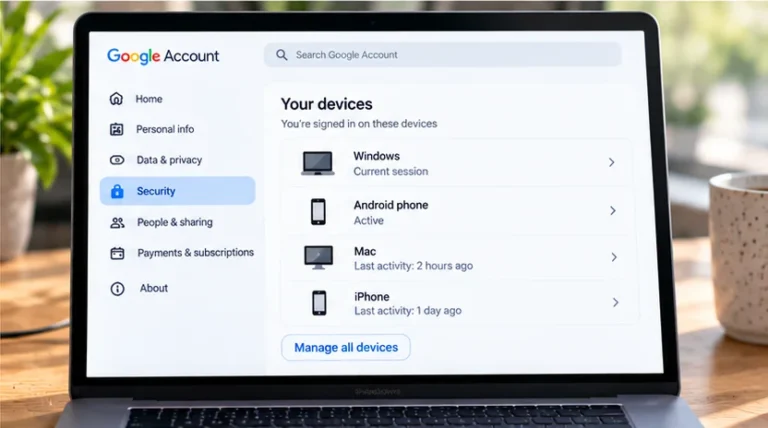
A device permission screen does not show every cloud-service connection. An app may receive information through a sign-in provider or a grant to a calendar, storage account, or other service.
Review those grants in the account provider's connected-app controls. Google distinguishes sign-in links from access to Google Account data in its linked-app guidance. Read the scope rather than assuming “Sign in with Google” grants access to all Google files.
Before removing your only sign-in link, confirm another working login method. Removal can interrupt features and does not necessarily delete data already held by the app. Protect these accounts with two-factor authentication where supported; stronger sign-in protection does not itself reduce permitted collection.
Leaving an app needs more than uninstalling
Uninstalling removes the app from that device. It does not necessarily delete its cloud account, retained records, or connected-service grants. Export anything you need before requesting account deletion, and read the stated consequences and retention exceptions first.
For an app you keep, review permissions, optional reporting, account fields, and connected services together. You can then decide whether the information supports a feature you value, whether narrower access works, or whether a different app better fits your needs.