—
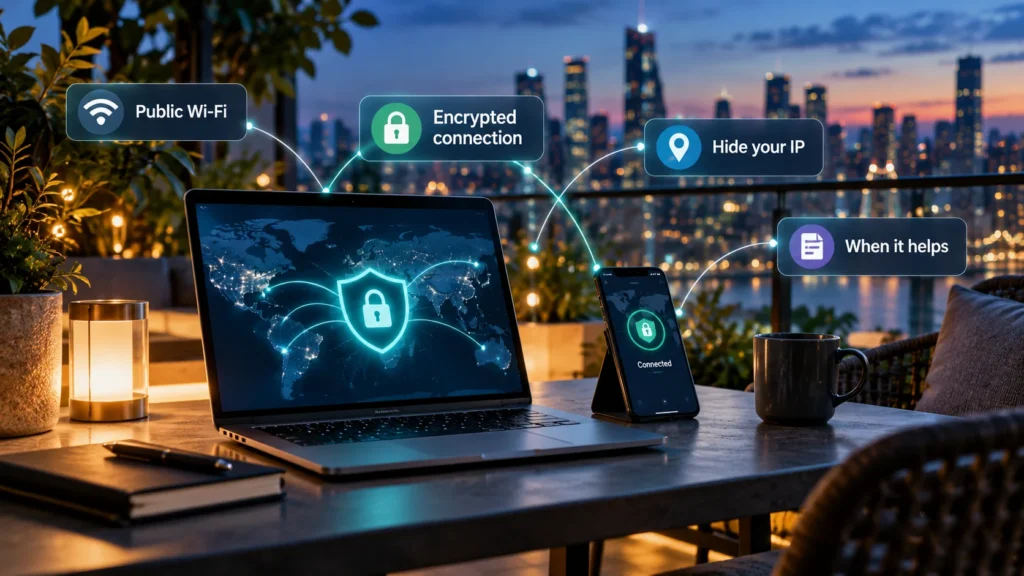
A VPN, short for virtual private network, creates an encrypted tunnel between your device and a VPN server. Traffic routed through that tunnel then travels onward from the server. It can help you reach a workplace network or reduce what the local network can observe, but it does not make you anonymous.
Use your organization's approved VPN when it is required for internal resources. Consider a consumer VPN when you have a specific reason to route traffic through a provider you trust. Ordinary home browsing does not automatically require one.
How the connection works
Imagine opening a website through a consumer VPN. Your device sends the relevant traffic inside the encrypted tunnel. The VPN server receives it and forwards it toward the website; replies return through that route. NIST's VPN definition describes the protected network connection behind this arrangement.
For routed traffic, the website generally sees the VPN server's public IP address instead of your normal public IP. Its estimate of your location may therefore change. That does not necessarily change other location information you supply, such as an address in your account.
Coverage depends on configuration. Some VPNs route only selected apps or destinations. Google's Android VPN documentation describes routes and per-app inclusion or exclusion. A connection indicator alone is not evidence that every app uses the tunnel.
The tunnel ends at the VPN server. HTTPS provides a separate layer of protection between your browser and the website; you should still use it beyond the VPN.
When a VPN serves a clear purpose
| Situation | Practical choice |
|---|---|
| You need a company file server or internal application | Use the VPN and instructions supplied by your organization. |
| You want less destination visibility for the local network or ISP | Consider a trusted VPN with appropriate routing and DNS handling. |
| You are on an unfamiliar network and need an additional encrypted route | A properly configured, trusted VPN can help; continue using HTTPS. |
| You want a different apparent network location | Check service rules and availability; a VPN does not guarantee access. |
| You mainly want protection from scam websites or stolen passwords | Prioritize browser protections, updates, and account security. |
A work VPN and a consumer subscription are not interchangeable. Buying a personal VPN will not normally grant access to a company's private systems. Microsoft's connection guidance directs work users to their company's settings or support staff.
For example, a remote employee might need an approved connection to an internal reporting tool even while using trusted home Wi-Fi. The requirement is access to that organization, not a general verdict that the home connection is unsafe.
Public Wi-Fi is not the whole argument
Modern HTTPS connections already encrypt much web traffic. The FTC's public Wi-Fi guidance explains why widespread website encryption changes the risk of using public networks.
An encrypted website connection protects the content sent over it. It does not prove that the business behind the website is honest. A fraudulent login page can also use HTTPS, and a VPN does not make entering your password there safe.
On an unfamiliar network, confirm the network name with its operator, keep devices updated, and pay attention to browser security warnings. A VPN can add protection for traffic routed inside its tunnel, but it cannot authenticate every page or fix a compromised device.
At home, start by identifying the problem you want to solve. If the aim is to protect an account from a reused password, installing another network service does not address that cause.
The provider becomes part of the trust decision
Using a VPN reduces some visibility for the network carrying the encrypted tunnel. It also gives the VPN operator an important position in the connection. The FTC's VPN advice emphasizes this shift in trust.
That does not mean a VPN operator can automatically read the contents of properly encrypted HTTPS connections. It can still handle connection information, and its practices matter.
DNS deserves attention too. DNS translates domain names into network addresses. Who handles those requests, and whether they travel through the tunnel, affects what information is exposed outside it. Read the service's technical guidance rather than treating a hidden IP address as a complete privacy check.
Account and payment details are another layer. A provider may know the email address or billing identity used to subscribe, even if a website sees only the server's IP address.
What a VPN does not remove
Logging into a shopping account tells that shop which account is visiting. Changing the visible IP does not sign you out, erase its records, or remove existing browser cookies.
Websites can also use other signals to recognize visitors. The FTC explains tracking through cookies, pixels, and device fingerprinting. A VPN's network function does not automatically block those mechanisms.
It also does not inherently stop malware or phishing. Some services bundle additional filters, but those are separate features with their own scope. Neither a subscription nor an encrypted tunnel guarantees privacy from every party.
For account protection, learn how two-factor authentication works and enable an appropriate option on important services. Keep using strong, unique passwords and updates alongside any network tool.
Assess a provider before installing it
Free access alone does not prove a VPN is unsafe, and a paid plan does not prove it is trustworthy. Evaluate the arrangement:
-
Ownership: Can you identify the operator and find meaningful support information?
-
Business model: Is the service supported by subscriptions, a limited free tier, donations, advertising, or another source?
-
Logging: What connection or usage records are collected, retained, or shared?
-
Security: Are technical practices and any independent assessments explained clearly?
-
App source and permissions: Is this the genuine application, and do its requests fit its function?
The EFF's VPN selection guide discusses these trade-offs and cautions that policies or audits are not guarantees. Avoid choosing solely from an advertising claim about total anonymity.
If work requires a VPN, use the approved one. If you want to reduce local-network observation, choose a provider only after understanding what traffic it handles. If you simply want safer everyday browsing, HTTPS, software maintenance, and account protection remain useful starting points without automatically adding a consumer VPN.