
—
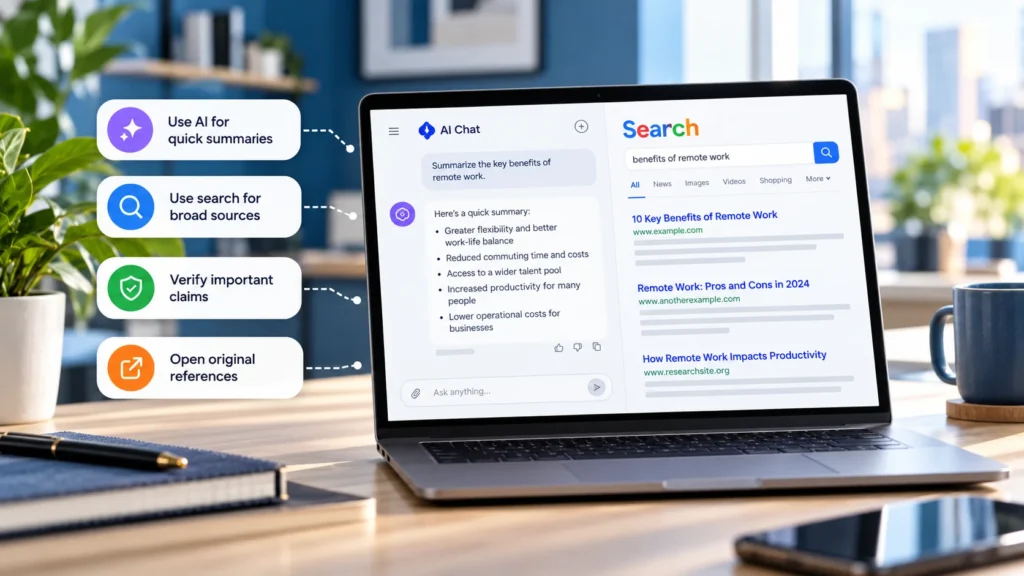
ChatGPT Search and Google Search both help you find information on the web. The useful choice is often about how you want to work with the results, rather than which product is universally more accurate.
ChatGPT Search vs Google Search: Quick Verdict
Start with ChatGPT Search when you want sources explained together and expect follow-up questions. Start with Google Search when you want to find a particular page, scan a range of sources yourself, or explore local businesses and products.
For changing or consequential information, combine discovery with direct source checking. Google also offers AI Overviews and conversational AI Mode, so this is not a simple division between an AI answer and a list of links.
Choose by the task in front of you
| Task | Recommended starting point | Useful next step |
|---|---|---|
| Understand several explanations of a concept | ChatGPT Search | Ask it to separate shared facts from disagreements. |
| Find a known organization's page or official form | Google Search | Inspect the domain and open the original page. |
| Explore a topic you cannot yet describe precisely | ChatGPT Search | Refine the question through follow-ups. |
| Compare local businesses or product listings | Google Search | Confirm details with the business or seller. |
| Find a particular file or exact phrase | Google Search | Narrow the query with supported operators. |
| Follow a developing event | Either, then direct sources | Check dates, updates, and independent reporting. |
| Fix a device-specific error | Google Search for the official instructions; ChatGPT for explanation | Match the model, version, and error before acting. |
| Prepare a broad research brief | ChatGPT Search for an initial synthesis, plus independent discovery | Read the central sources and look for missing perspectives. |
These are workflow recommendations, not benchmark results. Neither product's answer or ranking establishes that a source is correct.
Use ChatGPT Search to build an explanation
OpenAI's current search documentation says ChatGPT can search for current information and provide source links. It may search automatically, and a Search option is available through the tool controls. Citations can open the supporting page; a Sources view may provide additional links.
For a broad question, describe the purpose and constraints. For example:
> Search official guidance on protecting an online account. Explain which steps prevent password reuse, phishing, and loss of access separately.
Then follow with a narrower question, such as which recommendations apply to a shared device. A conversation lets you refine the explanation without rewriting the entire task each time.
This is especially useful when the difficulty is understanding how several pieces of information fit together. It is less necessary when you already know the exact page you need and simply want to open it.
Use Google Search to choose sources yourself
Google's result filters let you focus on types such as Web, Maps, News, Shopping, and Images. Their availability and order depend on the query. Its search-refinement guidance documents these filters and operators.
Try site:support.google.com with the relevant error wording to focus on that support domain. Put a distinctive phrase in quotation marks to search for an exact match, or add filetype:pdf when looking for a document in that format. These narrow discovery; they do not guarantee that the result is complete or applicable.
For navigational tasks, include the organization and the page you need, such as its returns policy or device manual. Read the destination address before signing in or downloading anything, especially when results include advertisements or similarly named sites.
Account for Google's AI features
Google Search is not limited to traditional results. AI Overviews can present an AI-generated summary with links. Google's documentation also describes a Web filter for text-based links when you want to inspect pages directly.
AI Mode supports follow-up questions and brings together information from web sources. That overlaps with the conversational work people associate with ChatGPT Search.
Availability, layout, and account settings vary, so use the experience actually offered to you. The practical distinction is between reading a synthesized response and selecting original pages yourself; both products can provide routes to sources.
Handle freshness and current events explicitly
Do not assume Google is always more current, or that an answer generated moments ago contains only new information. A current search can surface an old page, and a recent article can repeat an earlier claim.
For a developing event, check the publication or update date and the date the event happened. Look for the direct statement, announcement, or underlying document, then compare independent reporting where it adds evidence.
When asking ChatGPT, specify the date or period you mean and request current sources. Open those links before relying on the result. OpenAI's accuracy guidance notes both factual errors and limits on access to some websites. Searching improves access to information; it does not guarantee coverage or a correct synthesis.
Keep shopping, local, and troubleshooting searches concrete
For local discovery, supply the area and the requirement: opening hours, accessibility, a particular service, or collection options. Google is a practical starting point for scanning candidates, while ChatGPT can help explain trade-offs. OpenAI documents local search too, so it is not absent from that workflow.
Confirm hours, availability, total cost, and relevant conditions at the business or seller before committing. A listing or summary is a lead, not a completed transaction check.
For troubleshooting, include the device, operating system or app version, and exact error text. Find the manufacturer's instructions, then use a conversational tool to explain an unfamiliar step. Do not let a confident summary introduce a reset or menu path that the original instructions do not support.
Build a research workflow around evidence
For broader research, use ChatGPT Search to draft a question map or compare explanations. Then search independently for primary documents, contrary evidence, and sources the synthesis omitted. Keep source notes with the claims they support instead of collecting links without reading them.
For a quick page lookup, start in Google and go straight to the destination. For understanding a topic through successive questions, start in ChatGPT Search or Google's AI Mode. Choose the working style that reduces the task in front of you, while retaining responsibility for the evidence behind the result.