—
To use Gemini effectively, describe the job, supply relevant context, set limits, and ask for a usable format. Treat the response as material to review: a research starting point, draft, explanation, or organized version of your notes.
For everyday work, begin with a small text task. You can learn how to ask useful follow-up questions without connecting your email, uploading a private archive, or choosing a paid plan.
Start a conversation with a clear job
Open gemini.google.com or the official Gemini app available for your device. Check the account you intend to use, enter a question in the prompt box, and submit it. Google's getting-started guide documents the basic flow.
Availability differs by location, device, age, and account. Work or school access may also depend on the organization. The text examples below do not assume access to every integration or research feature.
Use this reusable sequence:
-
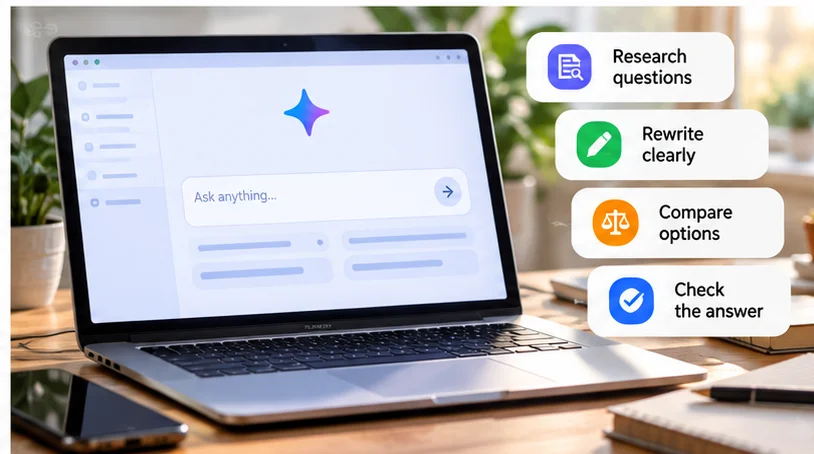
State the task: explain, summarize, rewrite, compare, or organize.
-
Add context: the audience, problem, source text, or facts you already have.
-
Set constraints: preserve numbers, exclude assumptions, and identify missing facts.
-
Choose a format: a short email, checklist, outline, or table.
-
Verify the information that matters before using the result.
For example: “Explain duplex printing to someone preparing a club newsletter. Use a simple example, distinguish manual from automatic duplex, and finish with two questions to ask before choosing a printer.”
Turn a broad research topic into answerable questions
Start by identifying what needs evidence. “Which printer should I buy?” mixes requirements, current prices, technical facts, and preferences. A more useful request is: “Help me research a printer for a monthly black-and-white newsletter. List the questions about running costs, two-sided printing, connection options, and maintenance. Do not recommend a model yet.”
The result can become a research checklist. You can then look for official specifications, manuals, consumable information, and warranty terms. This keeps an attractive but irrelevant recommendation from setting the direction too early.
Ask Gemini to separate questions about facts from your preferences. “Does it support automatic duplex?” is a specification question. “Is manual duplex acceptable for my workload?” is a decision for you.
Use sources as evidence, not decoration
When seeking current information, request official sources for the important claims and a clear distinction between confirmed details and unanswered questions. Where Gemini provides links or source-backed research, open the underlying pages yourself.
Google says Gemini may show inline links or a Sources control, but not every response includes sources. Related material can also be shown; a link's presence does not establish that it supports the exact adjacent claim. Google explains its source presentation.
For each deciding fact, keep a small record:
| Claim to check | Evidence to find | What to record |
|---|---|---|
| A feature exists | Manufacturer specification or manual | Exact model/variant and supporting wording |
| An offer is current | Seller's current terms | Region, date checked, and exclusions |
| Two products differ | Equivalent details for both | Missing information and any mismatch |
If Gemini cannot access a page, do not treat a description of its likely contents as a summary. Open it yourself or supply an appropriate excerpt. A search suggestion is still useful without pretending the research is complete.
Summarize supplied material without adding decisions
For a short passage you are allowed to share, paste the text and specify what to extract: “Summarize this notice in three bullets. List deadlines separately. Write not stated for missing information, and do not infer exceptions.”
Consider this fictional notice: “Newsletter copy closes Wednesday at 17:30. Send plain text to the editor. Images need separate permission. Printing arrangements are still being discussed.”
A useful summary preserves the deadline and unresolved printing arrangements. It should not invent a Friday publication date or claim that every image has permission. Ask for the line supporting an important point when the summary is difficult to compare with the original.
For longer material, focus on the relevant section while keeping surrounding conditions available. File uploads may help where supported, but they are optional; the basic skill is distinguishing what the source states from what the assistant suggests.
Rewrite clearly and build an outline
Give Gemini your draft and an editing boundary: “Make this email polite and direct. Preserve the deadline and quoted price exactly. Do not add guarantees or new facts. Return one version under two short paragraphs.”
Compare the revision with your intention. A softer tone should not turn a firm requirement into an optional suggestion, and a shorter sentence should not remove a condition. If only the ending needs work, ask for that paragraph rather than another complete rewrite.
For an article or newsletter section, request an outline before full prose. Name the reader and the question the piece should answer. Ask it to mark sections needing evidence instead of filling them with plausible facts.
You can also simplify a difficult paragraph: “Keep the meaning and exceptions, replace jargon where possible, and list any term that needs a separate explanation.” This makes the editing goal visible.
Compare supplied options and organize next steps
Use a table of facts you have gathered rather than asking Gemini to guess missing specifications. For three fictional printer options, supply purchase price, quoted consumable costs, duplex support, and any unknowns.
Ask: “Compare these three options using only my table. My priority is regular two-sided newsletters. Explain the tradeoffs and identify which missing fact could change the decision.” A conditional answer is useful when one option's running cost is unknown; a confident invented cost is not.
After choosing a direction, turn notes into a checklist. “Extract actions from these notes. Keep suggestions separate from agreed actions. Add an owner or deadline only when stated.” This supports planning without claiming that the assistant has ordered anything or contacted anyone.
For everyday explanations, ask for one definition, a concrete example, and a limitation. Follow up on the confusing part rather than requesting a longer answer by default.
Check once before sending or acting
Gemini can produce incorrect information and can misdescribe how it obtained an answer. Google documents those limitations. A fluent explanation or confident statement is not a reliability score.
Check names, dates, numbers, quotations, and claims against the original material or current primary source. Recalculate important totals. For a summary, verify exceptions and missing decisions; for a comparison, verify that the options use equivalent assumptions.
Use one focused follow-up to correct a gap. If the remaining work is faster to do in a calculator, document editor, or browser, finish there. The goal is a usable answer, not an extended conversation.
Review privacy before supplying the material
Remove unnecessary personal and confidential details, including identifying context that remains after names are redacted. Follow workplace rules before sharing documents or connecting services.
Review the current Gemini Apps Privacy Hub, including Keep Activity and the handling of feedback. Turning activity off should not be interpreted as zero processing, zero retention, or permission to share restricted work.
Managed accounts can have different features and data handling depending on the Workspace license and organization. Google explains those account differences. Confirm the applicable policy rather than assuming a work email address settles it.
If you are still choosing an assistant, our ChatGPT vs Gemini guide compares workflows. For other task-specific options, see useful free AI tools.
Start with a non-sensitive task whose result you can judge. Clear input, a bounded output, and evidence for consequential facts are enough to make Gemini useful without building a complicated workflow.